

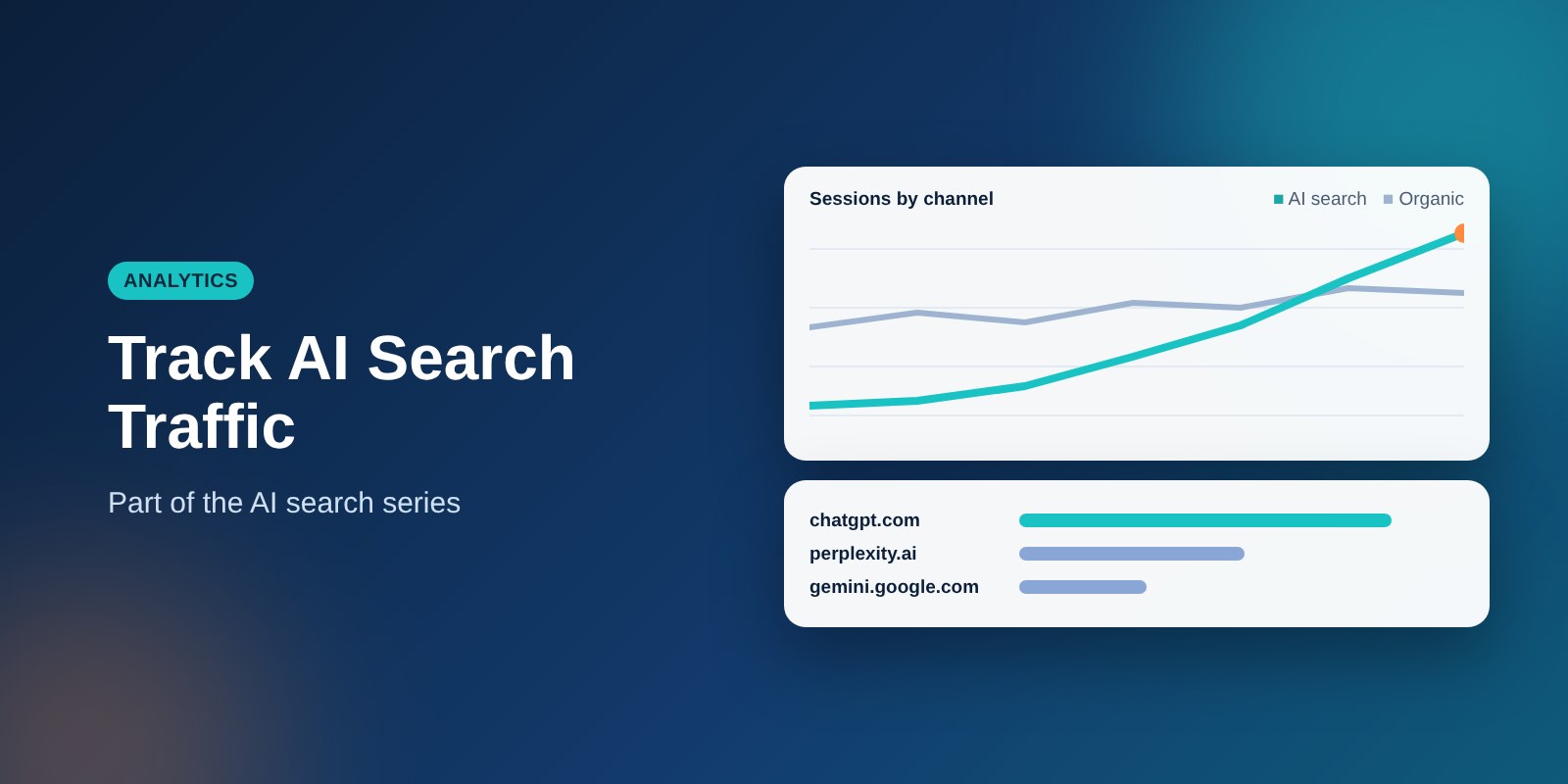
AI search sends traffic, but it rarely shows up as a neat line in your reports. Some of it appears as referrals, some as direct visits, and much of the value arrives later as branded searches and phone calls. Here is how to see what you can.
The goal is not perfect attribution, which is not possible today. The goal is a reasonable, repeatable picture that tells you whether AI visibility is growing and whether it leads to business.
Why AI traffic is hard to measure
Traditional search leaves a clear trail: a person searches, clicks a result and arrives with a known source. AI tools break that pattern in a few ways. Many answers satisfy the person without a click, some apps pass no referrer information, and people often come back later by typing your name.
That means GA4 will undercount the influence of AI search. Treat the numbers you do find as a minimum, and pair them with other measures.
Find AI referrals in GA4
- Go to Reports, then Acquisition, then Traffic acquisition.
- Change the primary dimension to “Session source / medium.”
- Search for sources such as chatgpt.com, perplexity.ai, gemini.google.com, copilot.microsoft.com and claude.ai.
Source names shift as products change, so scan the full list periodically for new ones. You may also see older or alternate names, such as chat.openai.com, in historical data.
What to look at once you find them
- Landing pages: which pages do AI visitors arrive on? These are the pages being cited.
- Engagement: do they stay, scroll or view a second page?
- Key events: do they submit forms, click to call or request quotes?
Volumes are often small for local and service businesses. Small numbers are still useful if the visitors take action.
Group them into one channel
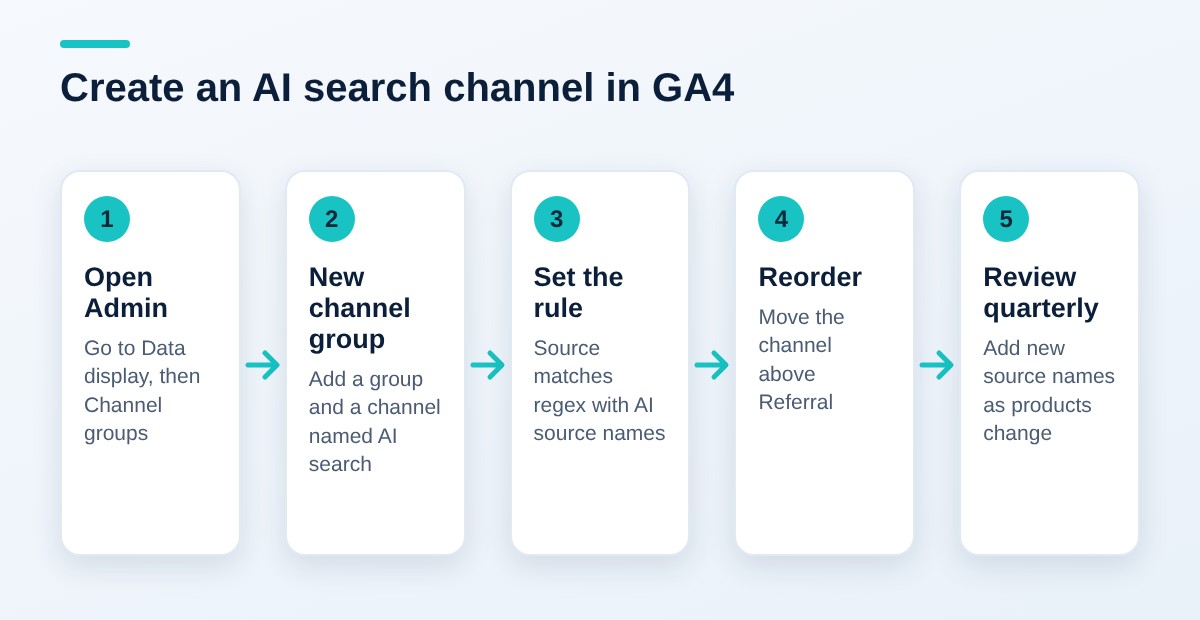
In GA4 Admin, create a custom channel group with a rule that matches those source names using a regular expression. That gives you a single “AI search” line to chart month over month.
- In Admin, open Data display, then Channel groups.
- Create a new channel group and add a new channel called “AI search.”
- Set the condition to Source, matches regex, and enter your list of source names separated by the pipe character, for example chatgpt\.com|perplexity|gemini\.google\.com|copilot\.microsoft\.com|claude\.ai.
- Save the channel and move it above Referral in the order, so it takes priority.
Menu names in GA4 change from time to time, so follow the labels on screen if they differ slightly. Custom channel groups apply to data going forward and in reports, so set it up early and review the source list every quarter.
What GA4 will miss
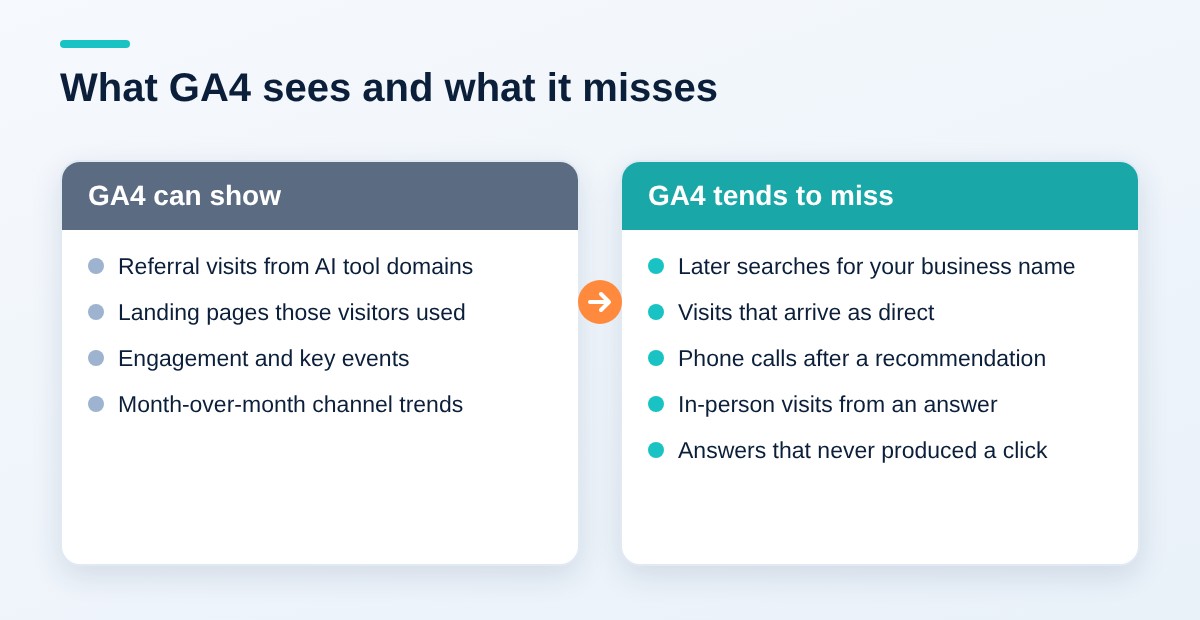
- People who read the answer, then search your name later.
- Visits from apps that strip referrer data, which land in “direct.”
- Phone calls and in-person visits that start from an AI recommendation.
Because of these gaps, a rise in direct traffic or branded search can be a sign of AI influence. It can also have other causes, so do not claim it without supporting evidence.
Add measures beyond clicks
- Prompt tracking: keep a fixed list of 15 to 20 customer questions and check them monthly in each AI tool. Record whether you are named, cited or absent.
- Branded search: watch impressions and clicks for your business name in Google Search Console.
- Lead source questions: add “How did you hear about us?” to forms and calls, with an option for AI tools.
- Call tracking: use a call tracking number on your Google Business Profile to see local call trends.
Building a prompt tracking sheet
A spreadsheet is enough. Use one row per question and one column per AI tool and month. In each cell, record one of three values: named, cited with a link, or absent.
| Question (generic example) | Tool | Result | Competitors named |
|---|---|---|---|
| Who is a good [service] in [town]? | Tool A | Named | Two |
| How much does [service] cost? | Tool B | Cited with link | None |
| What should I ask before hiring a [provider]? | Tool A | Absent | One |
The rows above are illustrative placeholders, not real results. Use the same wording, location and tool settings each month so changes mean something.
Read the results carefully
AI answers vary from one run to the next, so judge trends over several months, not a single test. Run each question once or twice and note the date. Do not change the question wording between months.
A simple monthly reporting routine
Measurement only helps if you look at it on a schedule. Set aside an hour once a month and follow the same steps each time. Consistency matters more than sophistication.
- Pull the AI search channel: note sessions, engaged sessions and key events for the month.
- Check landing pages: list the top pages those visitors reached and see whether they match the pages you want cited.
- Review branded search: compare impressions and clicks for your business name against the prior months.
- Update the prompt sheet: rerun your fixed questions and record whether you were named, cited or absent.
- Read the lead source answers: count how many new customers mentioned an AI tool.
- Write two sentences: what changed, and one action for next month.
Over time this routine shows patterns that no single report can. You might see that one page keeps getting cited, or that customers mention an AI tool even when GA4 shows nothing. Those findings tell you where to put your effort.
What to do with what you learn
If a page is cited often, protect it. Keep it accurate, update the date and link to it from related pages. If an important question never names you, look at which pages answer it today and ask what they provide that you do not.
If branded search rises while referrals stay flat, it may be a sign that people meet your name in AI answers and then look you up. Treat that as a hypothesis, and look for supporting evidence in your lead source answers before you rely on it.
Common mistakes
- Expecting a large referral line. Most of the value is indirect, so clicks alone understate it.
- Changing prompts every month. You cannot compare results if the questions keep moving.
- Counting one answer as a trend. A single run is an anecdote.
- Ignoring conversions. Visits matter less than calls, forms and bookings.
- Forgetting to update the regex. New AI products appear and old names change.
Be patient and keep records
Changes to your pages and listings can take weeks to be picked up, and changes to model training take far longer. Keep a dated record of what you changed and when, so that you can connect any shift in answers to the work you did. Without that record, every change in results looks like luck.
Where to start this week
- Open Traffic acquisition and look for AI sources in the last 90 days.
- Note the landing pages those visitors used.
- Write your list of 15 to 20 customer questions.
- Run them once in each AI tool you care about and save the baseline.
- Add an AI tools option to your lead source question.
Key takeaways
- AI referrals exist in GA4 but are small, scattered and incomplete.
- A custom channel group gives you one line to follow over time.
- Branded search, lead source answers and call data capture value that clicks miss.
- Prompt tracking shows whether you are named or cited at all.
- Judge trends across months, not single answers.
Related: AI Search for Business: How to Get Found in ChatGPT, Google AI Overviews and Perplexity
Want to see where your business stands in AI answers today? Contact SEO Now for an AI search visibility review.