


People ask AI tools full questions, in full sentences. A good FAQ section matches that pattern, which makes it one of the easiest ways to put clear, quotable answers on your site.
An FAQ is not a place to dump leftover content. Done well, it is a set of short, accurate answers to the questions that stand between a customer and a decision. This guide covers how to find those questions, write the answers, place them and keep them current.
Why FAQs fit AI search
When someone types or speaks a question to an AI tool, the tool looks for content that answers that question. An FAQ entry is already shaped like that: a question followed by a direct answer. That match makes the passage easy to understand and, where a tool cites sources, easier to use.
No format guarantees you will be cited, and tools differ in how they choose sources. But an FAQ that reflects real customer language gives you more chances to be a match, and it helps human visitors at the same time.
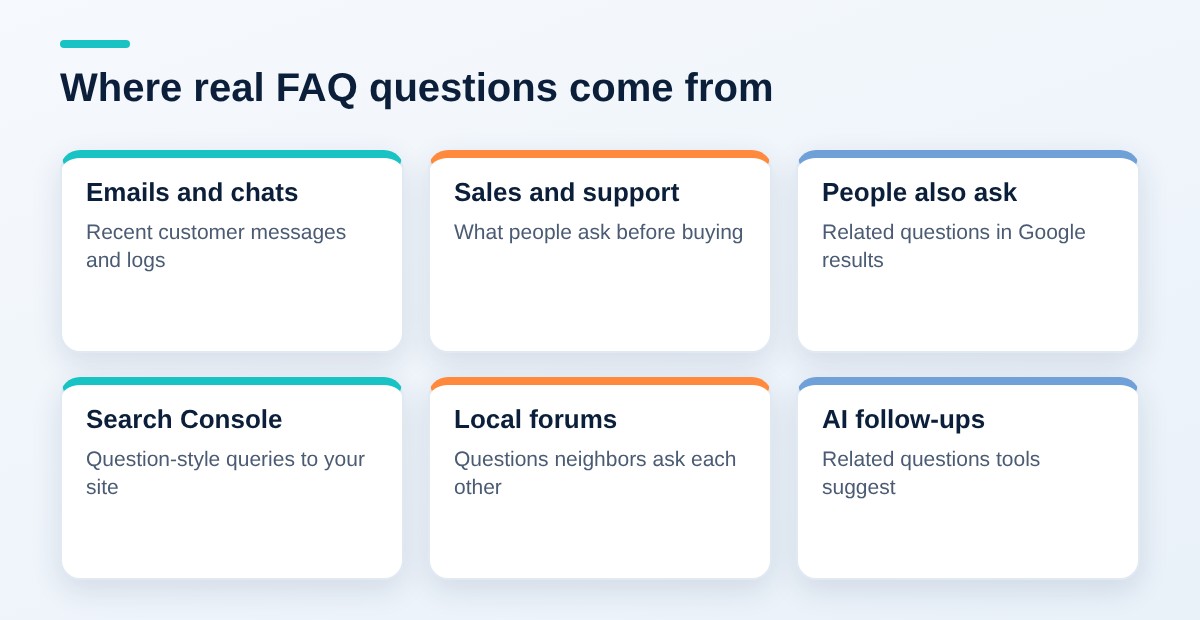
Find the real questions
- Review emails, calls and chat logs from the last few months.
- Ask your sales and support staff what customers ask before they buy.
- Check Google’s “People also ask” boxes for your main topics.
- Look at questions in Search Console queries and local forums.
- Run your service through AI tools and note which follow-up questions they suggest.
Sort questions by the stage they appear
Group questions by where the customer is in the decision. This keeps the FAQ useful instead of random.
| Stage | Generic example questions |
|---|---|
| Before choosing | How much does [service] cost? How long does it take? |
| Comparing options | What is the difference between [option A] and [option B]? |
| Ready to buy | What do I need to prepare? Do you serve [town]? |
| After purchase | What does the warranty cover? How do I reschedule? |
Choose which questions earn a place
You will collect more questions than you can use. Keep the ones that are asked often, that affect a buying decision, or that you answer differently from competitors. Drop the ones that only repeat your marketing copy.
Write answers that stand alone
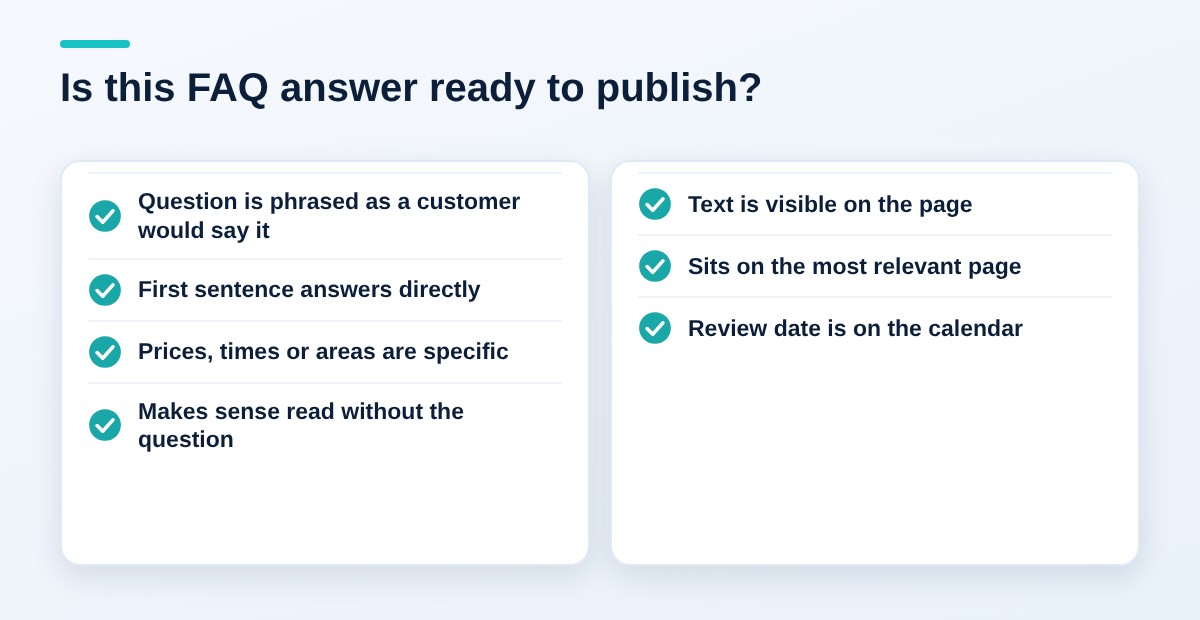
- Phrase the question as a customer would say it.
- Answer in the first sentence, then add detail in two or three more.
- Include the specifics: prices, time frames, service areas and conditions.
- Avoid “contact us for details” as the whole answer. Give the useful part, then invite contact.
Read each answer without its question. If it still makes sense, it can stand alone. If it begins with “Yes, it does,” rewrite it to name the thing.
A before and after example
Weak: “Pricing depends on many factors. Please contact us for a quote.”
Better: “Most standard jobs cost between $X and $Y. The price depends on size, materials and access, and we give a written quote after a free site visit.”
The figures are placeholders for your real, verified numbers. If you cannot publish a range, explain what drives the price. That is still more helpful than a refusal to answer.
Keep the wording natural
Write the question the way a customer would say it aloud. “How much does it cost to fix a leaking faucet?” works better than “Faucet repair pricing.” The first matches how people actually phrase requests to an assistant.
Avoid stuffing several questions into one entry. One question and one answer keeps each passage focused and easy to quote.
Where to place them
Put FAQs on the pages they relate to, such as service pages, rather than collecting everything on one giant page. A short, relevant FAQ at the bottom of each service page serves both visitors and machines.
A single general FAQ page can still be useful for company-wide topics such as billing, warranties and scheduling. Link to it from your footer and from related pages. Keep each entry short, and give each question its own heading so it is easy to link to and quote.
Markup and limits
You can add FAQPage schema so the questions and answers are clearly labeled, but only for questions that appear on the page. Do not mark up content that visitors cannot see.
Be realistic about what the markup does. Google once showed FAQ rich results for a narrow set of sites, and its FAQ page now states that the feature no longer appears in Google Search. Add the markup, if at all, to describe your content clearly, not for a visual boost in results. Whether any AI product uses it is not confirmed, so the visible text matters most.
A sample FAQ entry set
Here is how a generic local plumber might write two entries. The numbers are placeholders, not real prices.
How much does it cost to replace a water heater?
Most standard replacements cost between $X and $Y, including removal of the old unit. The final price depends on tank size, fuel type and whether the new unit needs updated venting.
Do you offer same-day service?
We offer same-day service for most emergency calls placed before [time], Monday through Saturday. Non-urgent jobs are usually scheduled within [number] business days.
Notice what each entry does. The question is natural, the first sentence answers it, and the second sentence gives the main condition. A person or an AI tool can quote either one without needing the rest of the page.
Common mistakes
- Writing questions nobody asks. Invented questions that match your marketing, not your customers, waste space.
- Answers that dodge. “It depends” with no explanation of what it depends on is not an answer.
- Hiding answers where they cannot be read. Make sure the text is in the page itself, not loaded only after a click.
- Marking up invisible content. Schema should match what visitors can read.
- Letting it go stale. Old prices, hours and policies make the whole page less credible.
Keep them alive
Review your FAQs every quarter. Remove outdated answers, add new questions from customers, and update any prices or policies.
Make it a habit. When a customer asks a question that your site does not answer, add it to a running list. Each quarter, turn the top few into new entries.
Where to start this week
- Collect the ten questions your team hears most.
- Pick one important service page.
- Write short, direct answers with specific details.
- Add them as visible text near the bottom of the page.
- Put a quarterly reminder on your calendar to review them.
Key takeaways
- FAQs mirror how people phrase questions to AI tools.
- Source questions from real customers, not guesswork.
- Answer in the first sentence and include specifics.
- Place FAQs on the pages they relate to.
- Do not rely on schema or rich results; clear visible text matters most.
Related: AI Search for Business: How to Get Found in ChatGPT, Google AI Overviews and Perplexity
Want to see where your business stands in AI answers today? Contact SEO Now for an AI search visibility review.